PDMShell documentation
Automate SOLIDWORKS PDM from a shell, a script, or right inside the vault.
Commands, scripting guides, add-in setup and AI integrations for SOLIDWORKS PDM Professional, organized by what you are trying to do.
Signed installer · ZIP download · Current release: 4.0.94
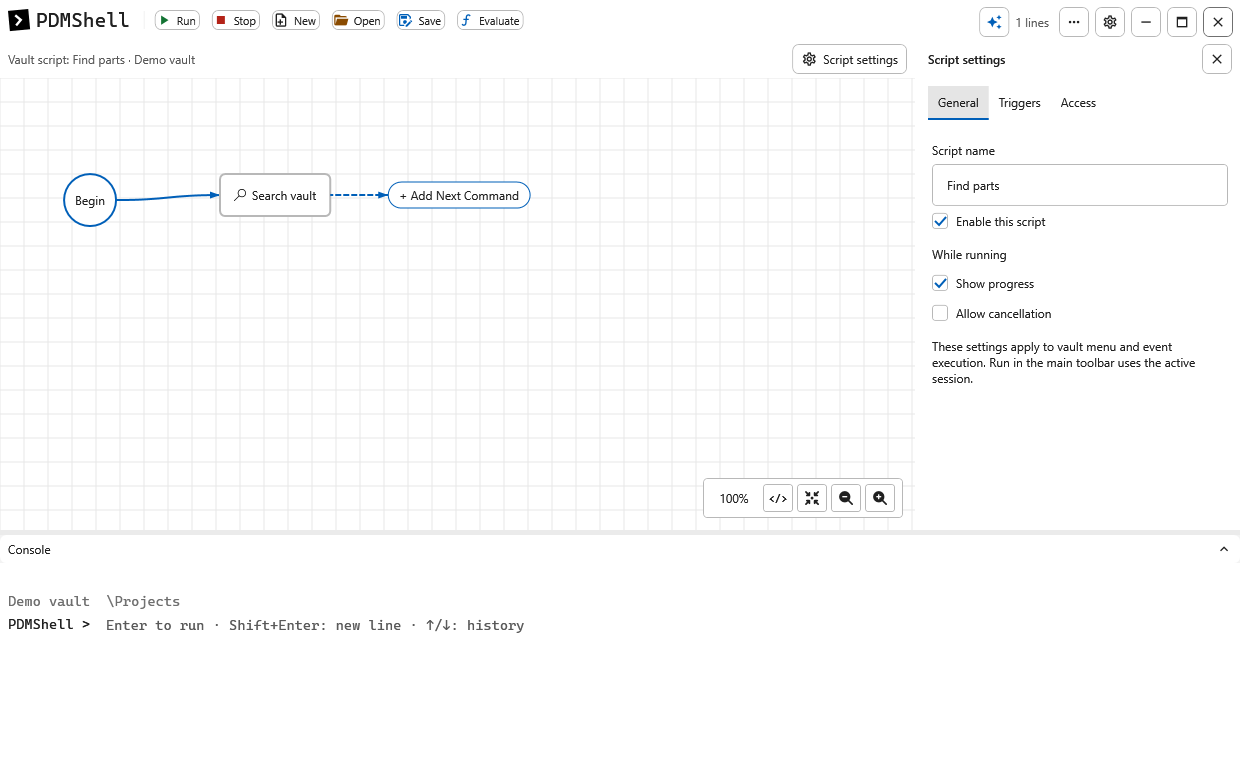
Standalone and vault scripts, one editor
Updated through PDMShell 4.0.92. Create, open and save both script types from the main toolbar. Configure vault Script settings beside the visual workflow; the add-in handles execution.
Start where you are
Four paths, each a short reading list in order.
New to PDMShell
Install and run your first command
1. Install PDMShell 2. Activate a license 3. Learn the first commands 4. Free vs PremiumScript author
Write repeatable .pdmshell scripts
Scripting basics Standalone and vault scripts in one editor Search syntax Placeholders and functions ConditionsPDM administrator
Roll out the add-in to your team
Install and deploy the add-in Manage vault licenses from standalone Settings Import scripts into PDM tasks Permissions Event trigger points Moving off DispatchAI and MCP
Use AI in your PDMShell session
ChatGPT, Claude and Ollama inside PDMShell Saved AI connections and models Claude Desktop setup Codex and ChatGPT setup Review commands before they runCommon tasks
Where to start for the jobs people automate most.
Bulk-set a data card variablesearch · setvar · checkin
Rename files from a CSV listrenamefromsource
Check in everything in a folder treecheckin -search % -recursive
Run a SOLIDWORKS macro on search resultssearch · runswmacro
Replace a Dispatch action with the add-inadd-in · trigger points
Upgrade file versions after a PDM upgradeversionupgrade · versionupgradefromsource
Command reference
Every command with its alias, license tier and the version it shipped in.
What’s new
All release notes →
4.0.92 · Oct 6, 2026Run from a visual action or run one action, with matching Run menus and explicit confirmation.
4.0.91 · Oct 6, 2026Find processes blocking an update, review safe close options, and avoid installer self-locks.
4.0.90Explicit vault add-in repair, clearer diagnostics, and complete AI expression discovery.
Need help planning automation?
Blue Byte Systems designs PDMShell scripts, add-in workflows and migrations for SOLIDWORKS PDM.