Table of Contents

Save and Open Scripts

From 4.0.80, use the same main editor for standalone files and vault scripts. New, Open, and Save offer both storage types.

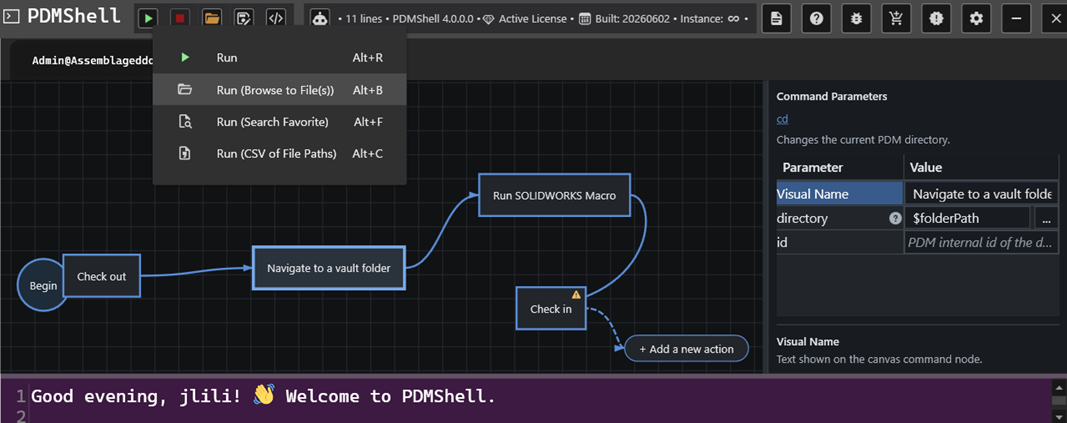
PDMShell main toolbar

Action Standalone script Vault script
New Start an unsaved file-based draft. Start a vault draft with Script settings.
Open Browse for a .pdmshell file. Filter and select a script stored in the connected vault.
Save Update the current file, or choose a path for a new file. Explicitly publish code, visual layout and settings to the vault.
Save as… Write a standalone copy without vault settings. Start a new vault draft; review settings and then Save.

Create and open

Use New > Standalone script or New > Vault script. Both start in the visual editor. Switch to code view when you want to type or paste command text.

New script choices

Use Open > Standalone script… to browse for a file, or Open > Vault script… to use the vault picker. Recent scripts and the online script library remain in the Open menu.

Open script choices

Vault script management requires a vault login and the PDM Edit add-ins permission. See Vault scripts and Script settings for configuration and deletion.

Standalone files

Visual scripts use the .pdmshell extension. A saved file stores command text and visual workflow layout, including action positions and connections. Older text-only .pdmshell files can still be opened.

Save updates the current file. Save as standalone script… writes a copy to a chosen path. Exporting a vault draft as a standalone file does not include its name, event triggers, conditions or access settings.

Vault drafts

Vault script settings appear to the right of the visual editor. Use the Script settings gear to show or hide the panel.

Vault script beside its settings

Changes stay in the draft until Save. Vault scripts are not automatically saved. Save as vault script… does not publish immediately: it creates a new draft for you to name and review, then save.

The document heading identifies the vault. Reconnect to that same vault if you changed sessions before saving. If the saved script changed since it was opened, PDMShell keeps your draft and asks you to reopen the current version or save a new script.

Save choices

Unsaved changes

New/Open and closing a session tab or PDMShell prompt about unsaved changes. Choose Save, discard, or Cancel. A failed or cancelled save leaves the draft open.

Running a draft and saving it are separate actions. Run can modify real files and vault data before you save. Stopping does not undo completed operations.

AI drafts and comments

Use draft… in the AI pane confirms replacing the code, reveals the editor and expands its code area. It does not execute or save the draft. For a vault document, the existing vault settings remain attached.

Full lines beginning with #, including indented comment lines, are ignored as commands and preserved when editing the workflow. A # inside a command value is not treated as a full-line comment.

Code area expanded in the unified editor

Script library

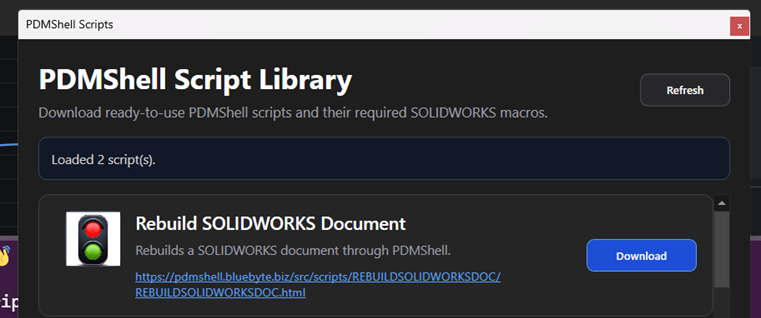
The online Script Library remains available from Open. Downloading a script does not execute it. Save the resulting editor document as a standalone file, or use Save as vault script…, review the settings, and Save to publish a vault copy.

The 4.0.85 screenshots show actual application controls with sample data; no scripts were executed for these captures.