setrevisionfromsource
Description
The setrevisionfromsource command allows you to batch-update the PDM-managed revision for multiple files by reading values from a CSV input source.
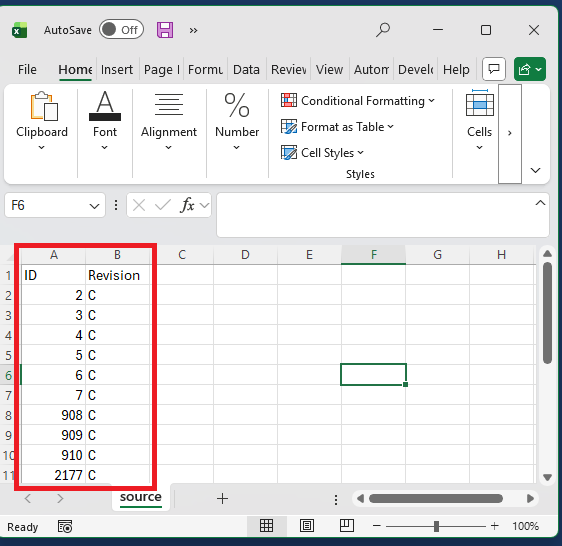
The source CSV must contain at minimum:
ID- the PDM file ID.Revision- the revision value to apply.
This command applies the revision exactly as supplied in the CSV, similar to the setrevision command.
It does not evaluate %nextrevision%, %previousrevision%, %initial%, or PDM variable expressions. Use literal revision values only.
You may optionally output a results CSV that includes success or failure information for each processed row.
Syntax
setrevisionfromsource -source -csv
Parameters
| Parameter | Required | Description |
|---|---|---|
-source |
Yes | See parameter details below. |
-csv |
Yes | See parameter details below. |
Parameter Details
source
Path to the CSV file that contains the input dataset. Required columns:ID- the file's PDM ID inside the vault.Revision- the revision string supported by the revision scheme.
Note
You can generate IDs and variables into a CSV by using the search command.
csv
Optional. Path to an output CSV file where results will be written. The results file contains:- File ID
- Operation status
- Error message, if any
Examples
setrevisionfromsource -source source.csv -csv results.csv
Notes
- This command updates the PDM revision shown on the Version tab, not data card variables.
- All revisions must already exist in the active revision scheme.
- If a file ID does not exist or cannot be updated, the error is logged and processing continues for the remaining records.
- Output CSV is optional. If omitted, results are printed to the console only.
Availability
Available since PDMShell 3.0.12.