docmanprops
Description
The docmanprops command exports and updates SOLIDWORKS file custom properties without opening SOLIDWORKS.
This command supports two primary modes:
- Export Mode (Default)  Reads properties from SOLIDWORKS files and writes them to a CSV file
- Update Mode  Reads a CSV file and writes the properties back into the SOLIDWORKS files (Same CSV from Export mode)
- Refresh Mode  Reads a CSV file and refreshes the content of the csv.
Note
This command works with the file system and requires files to be locally cached. It reads and writes files both inside and outside the vault. Relative paths only work in the vault directory (and requires you to be logged in).
Syntax
docmanprops -directory <path> -csv <csvPath> [-recursive] [-configNames] [-update] [-refresh] [-extension]
Parameters
| Parameter | Required | Description |
|---|---|---|
-directory |
Yes | Specifies the folder containing SOLIDWORKS files. |
-csv |
Yes | Specifies the CSV file path. |
-recursive |
No | When specified, searches subfolders. |
-configNames |
No | Specifies which configurations to include. |
-update |
No | When specified, the command runs in Update Mode. |
-refresh |
No | When specified, the command runs in Refresh Mode. |
-extension |
No | Specifies which file extension filters to include when exporting or updating properties. |
Parameter Details
directory
Specifies the folder containing SOLIDWORKS files.
Example:
`-directory "C:\Vault\Projects"`
csv
Specifies the CSV file path.
Used for:
- Export destination
- update source
Example: -csv "C:\temp\props.csv"
update
When specified, the command runs in Update Mode.
Reads the CSV file and writes the properties back into the SOLIDWORKS files.
refresh
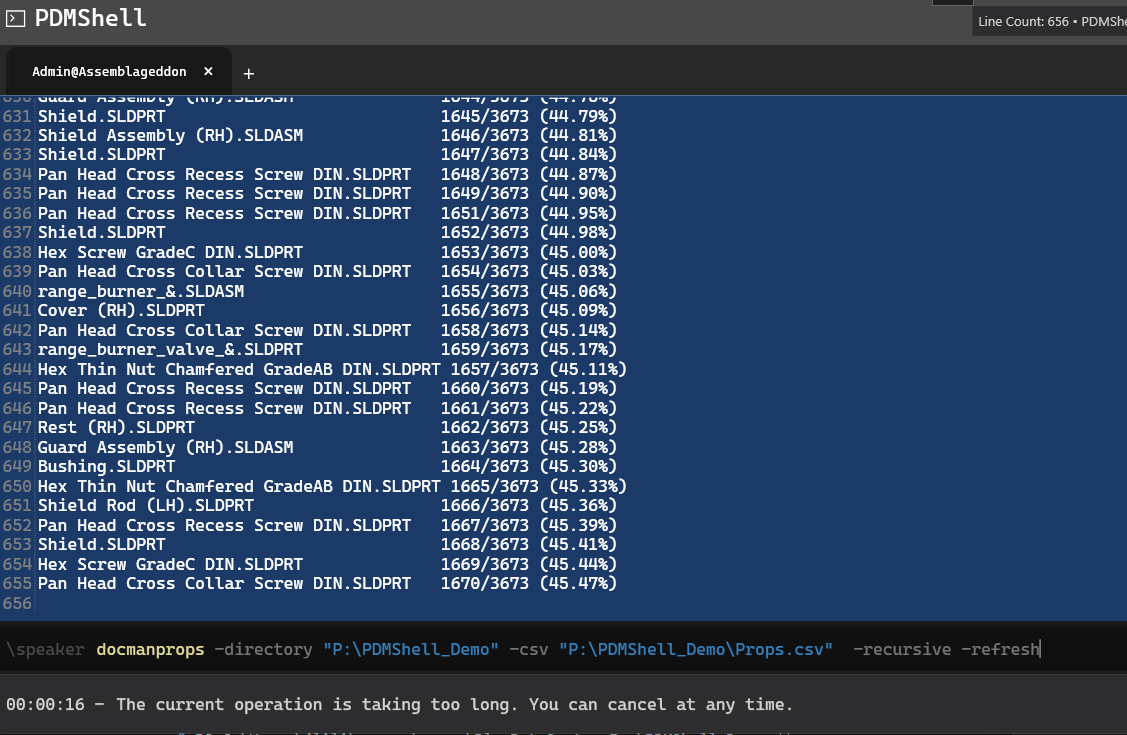
When specified, the command runs in Refresh Mode.
Reads the CSV file and refreshes the content of the properties in the csv file.
recursive
When specified, searches subfolders.
configNames
Specifies which configurations to include.
Default: All configurations
Example: -configNames "Default,Config1" Use space for custom property.
extension
Specifies which file extension filters to include when exporting or updating properties.
Default: * (all files)
Supports wildcards and multiple values separated by commas.
Special value for all solidworks file extensions is: solidworks
Examples:
#all solidworks files
-extension "solidworks"

-extension "*.sld*"

-extension "*.sldprt,*.sldasm"

-extension "*.sld*,*.pdf"

-extension "*"
If an extension filter contains spaces, wrap it in quotes.
Example:
-extension "*.sld*,*.step,*.pdf"
Use *.* to include all files regardless of extension.
CSV Format
The CSV contains the following columns:
Folder
FullPath
FileName
Extension
Configuration
Property
Value
EvaluatedValue
Type
Success
Exception
Example:
C:\Vault\Part, C:\Vault\Part\Part1.SLDPRT, Part1, .SLDPRT, Default, Description, Plate, Plate, Text, True,
Export Mode
Description
Reads properties from files and writes them to CSV.
Properties include:
- File custom properties
- Configuration properties
- Evaluated values
- Property types
Examples
docmanprops -directory "C:\Vault\Parts" -csv "C:\temp\props.csv" -recursive
Output

Update Mode
Description
Reads CSV file and writes properties back into files.
Features:
- Opens each file once
- Updates all properties
- Saves file
- Updates CSV Success and Exception columns
- Parallel processing
Examples
docmanprops -csv "C:\temp\props.csv" -update
Output
Note
Temporary files start with ~ are ignored.
Success And Error Tracking
The CSV is updated during update:
Success column:
True  Property updated successfully
False  Property update failed
Exception column:
Contains error message
Example:
Property,Success,Exception
Description,True,
PartNumber,False,Configuration Default not found
Availability
Available since PDMShell 3.0.30.